Coming soon to the Mac App Store
The health logbook that stays on your Mac
Track blood pressure, medications, and mood. Build reports your care team can use. No account, no cloud, no analytics.
Explore the features
A daily routine, not a chore
Fast capture, clear history, and medication schedules that match real prescriptions.
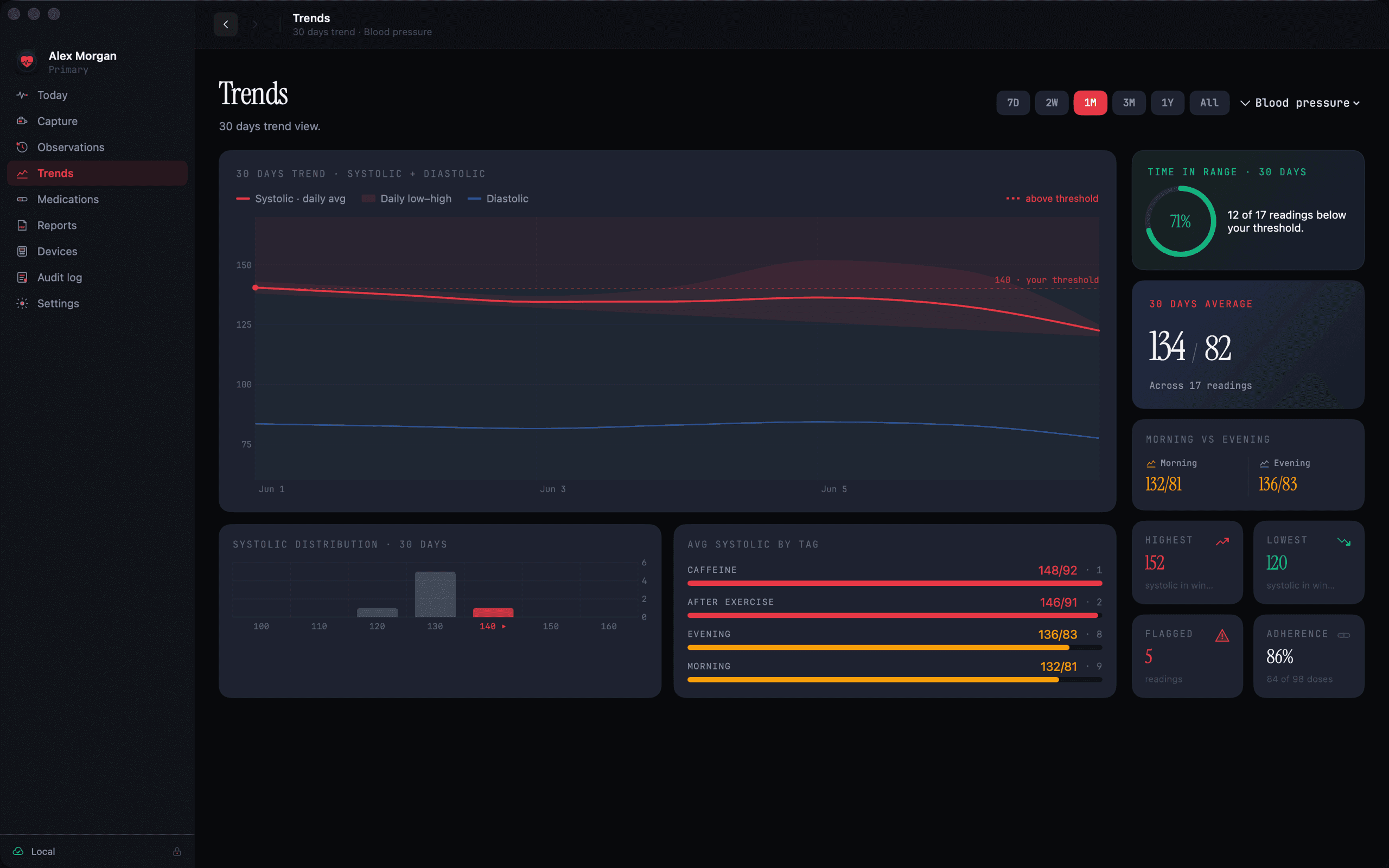
See where your numbers are heading
Review readings by timeframe. Values outside a reference range you configure are flagged so they are easy to spot.
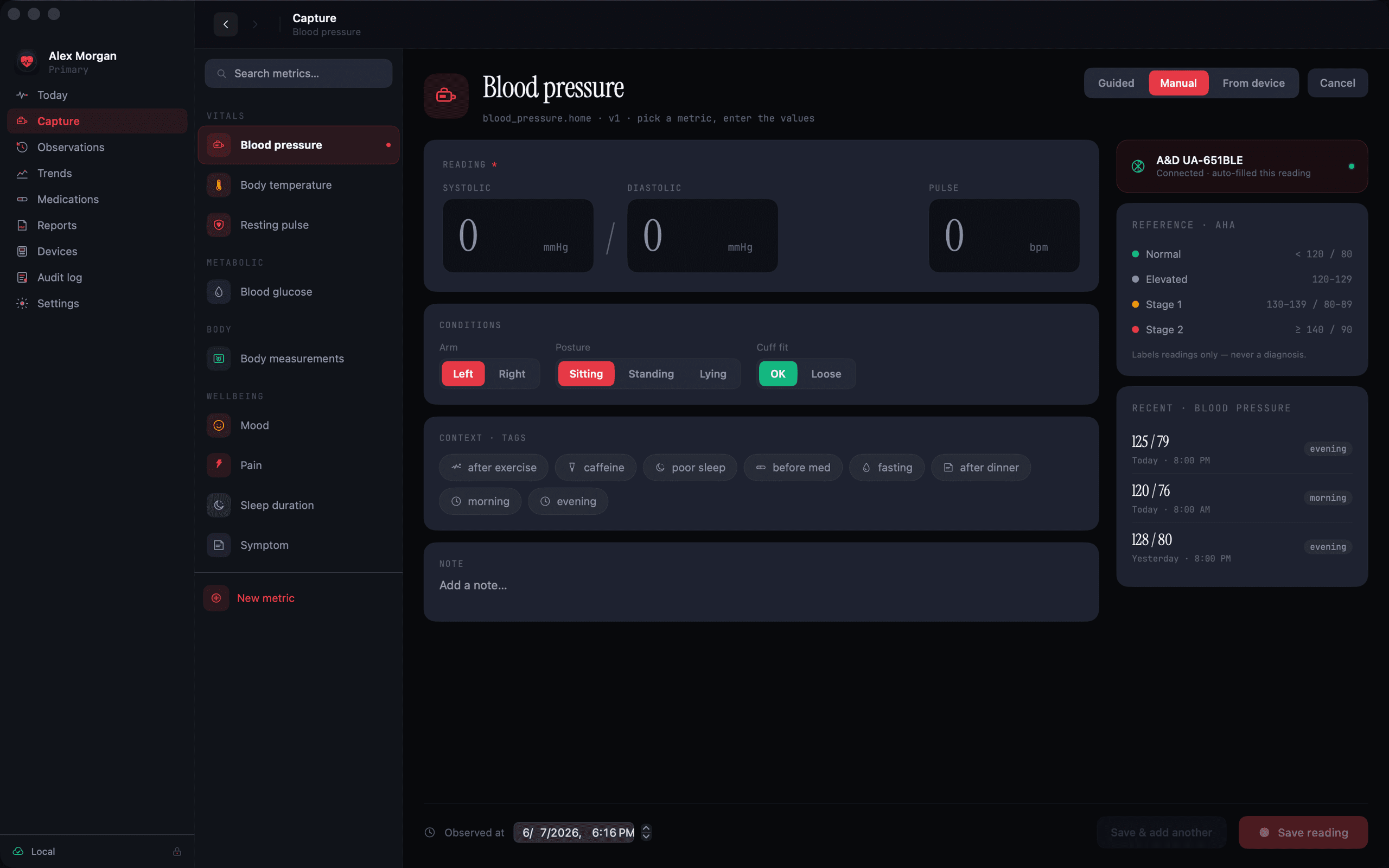
Capture in seconds
Blood pressure and pulse entry with notes and tags, built for the keyboard.
Mood and energy check-ins
Log how you feel alongside your vitals, so context travels with the numbers.
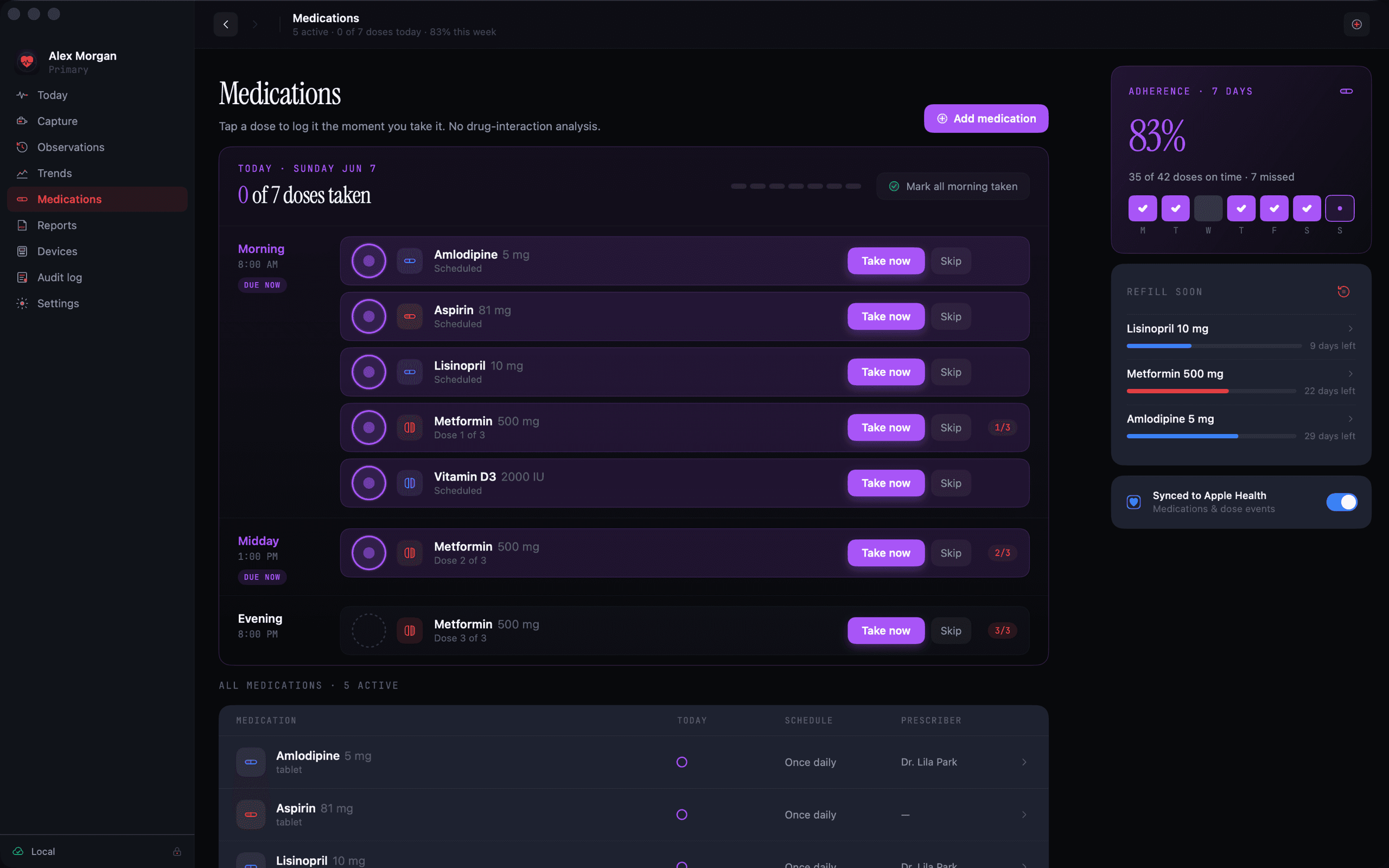
Medications that match real life
Daily, specific weekdays, every few days, monthly, as-needed, and step-down taper plans. Refill tracking estimates your remaining supply.
Build your own metrics
Track the observations that matter to you, with units and optional reference ranges you define.
Reminders that keep quiet
Optional dose reminders with a missed-dose follow-up. Medication names never appear in notifications.
Blood pressure rows that include pulse also appear as resting pulse entries, so both histories stay complete without double entry.
Private by architecture, not by promise
Privacy here is not a settings toggle. It is how the app is built.
No account, no cloud
Your data lives on your Mac. There is no server to sign into, no analytics, and no ads.
Locked when you step away
Optional app passcode with a Touch ID shortcut, idle auto-lock, and automatic locking when the window closes.
An audit log you can read
A local record of security and data events, so you can always see what happened and when.
Exports you control
Information leaves Heartwood only when you export it yourself, and exports use an encrypted format by default.
One network feature, fully disclosed: optional medication-name suggestions from RxTerms, a public catalog maintained by the U.S. National Library of Medicine. Queries are not stored. Details in the Privacy Policy.
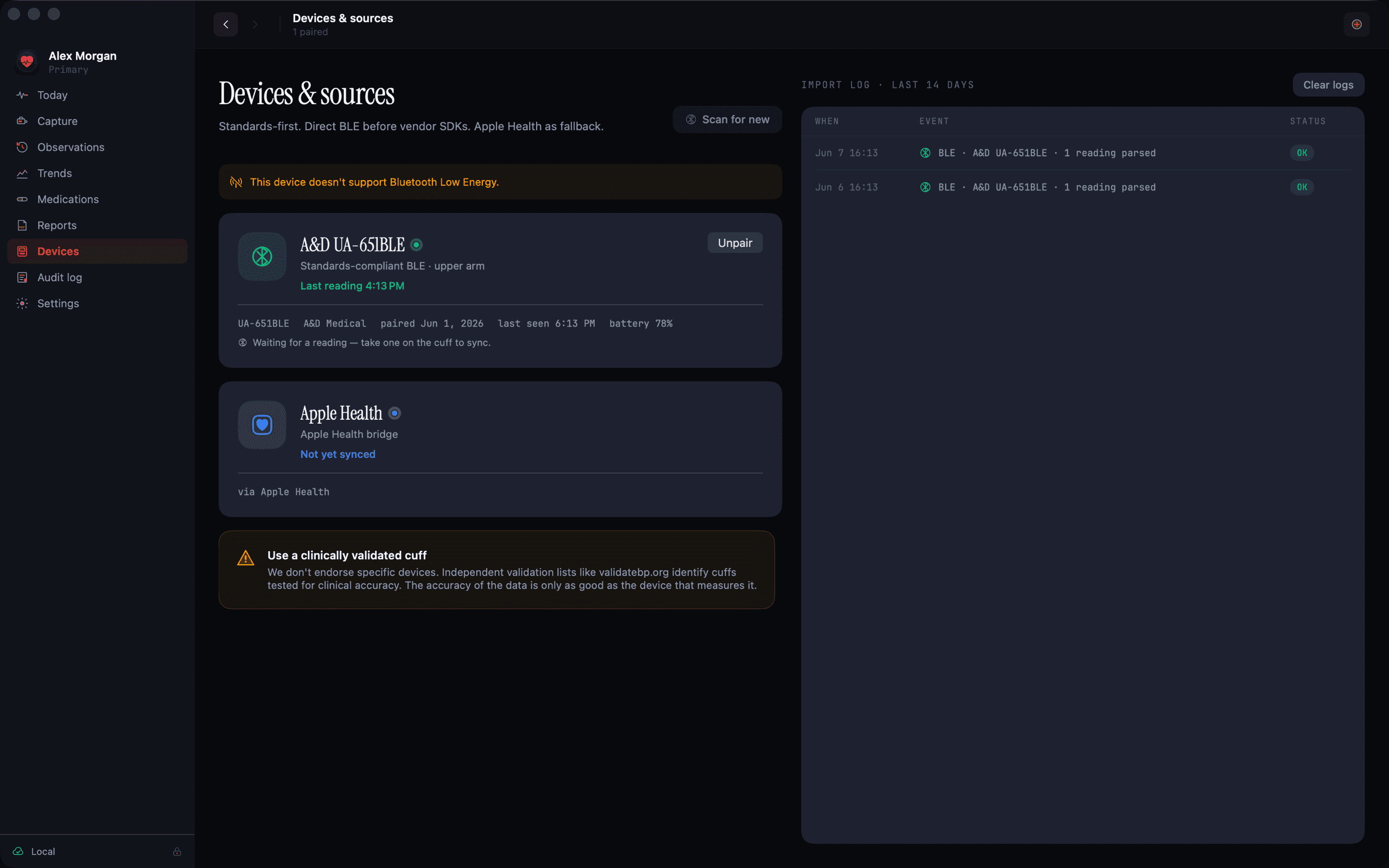
Sync readings straight from your cuff
Heartwood imports readings from Bluetooth monitors that implement the standard Blood Pressure Profile, the connect-and-sync specification used by many home upper-arm and wrist cuffs. It records what the monitor reports: systolic, diastolic, pulse, and measurement-status details such as cuff fit and irregular-pulse flags when the device supplies them.
Compatibility varies by model, region, and firmware. Manual entry is always available and works with any device.
Check device compatibilityWalk into appointments with the full picture
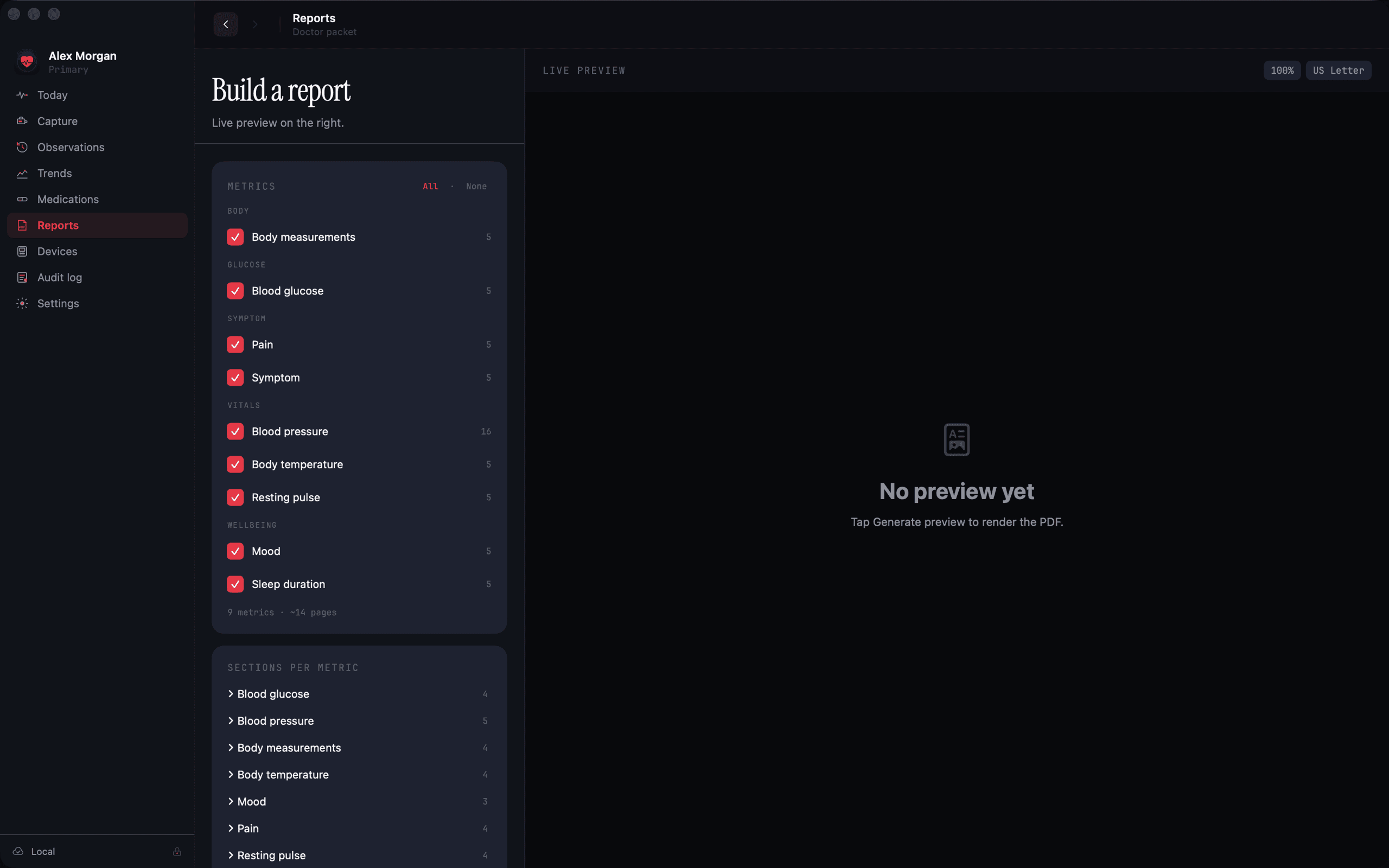
Compose PDF reports for a chosen timeframe and set of metrics: readings, medication history, and notes in a clean, printable layout. Exports are encrypted by default; creating a plain PDF or CSV requires you to re-authenticate first.
What early testers say
“My cardiologist asked how I had three months of readings this organized. It took one report and five minutes.”
“The taper schedule alone sold me. No other tracker handled my step-down plan without spreadsheets.”
“I log my mother's readings on her Mac. Knowing nothing leaves the machine settled the whole family.”
Questions, answered
Bring a clear record to your next appointment
Heartwood ships soon on the Mac App Store. Leave your email and we will tell you the day it lands.